20 Things My AI Agents Do
A couple of weeks ago, I wrote The Exhaustion of AI Innovation: What Is a Dot, Anyway? My point was simple. New AI tools launch faster than anyone can keep up, and the conversation is so noisy that it is hard to tell what is useful. That post was about what's happening right now and what the AI agent landscape looks like. This one is about what I use daily and weekly. I wanted to follow up with something practical and whether they're giving me time back.
My AI agent setup right now
I'll be honest. I never used OpenClaw, the agent many people first knew as Clawdbot. But I watched friends and people online have a real breakthrough moment with it. You could see it click for them: AI wasn't just answering questions anymore; it was doing things.
It also looked like a lot of setup, not to mention buying a Mac mini to make it work. I have used Claude as an agent but often run into issues when using it remotely. Then Muse came out, and it was way easier to use and understand. That was my true door into deep use of a personal agent.
Today I use three:
Claude, running on my iMac at home, handling my code-related tasks
Muse, for most of my daily and weekly tasks along with anything connected to my inboxes
GrokBot, for a few big one-time jobs, but I use it less now that Muse is dialed in
Each has its own lane. Here's everything they do.
What do my AI agents do every morning?
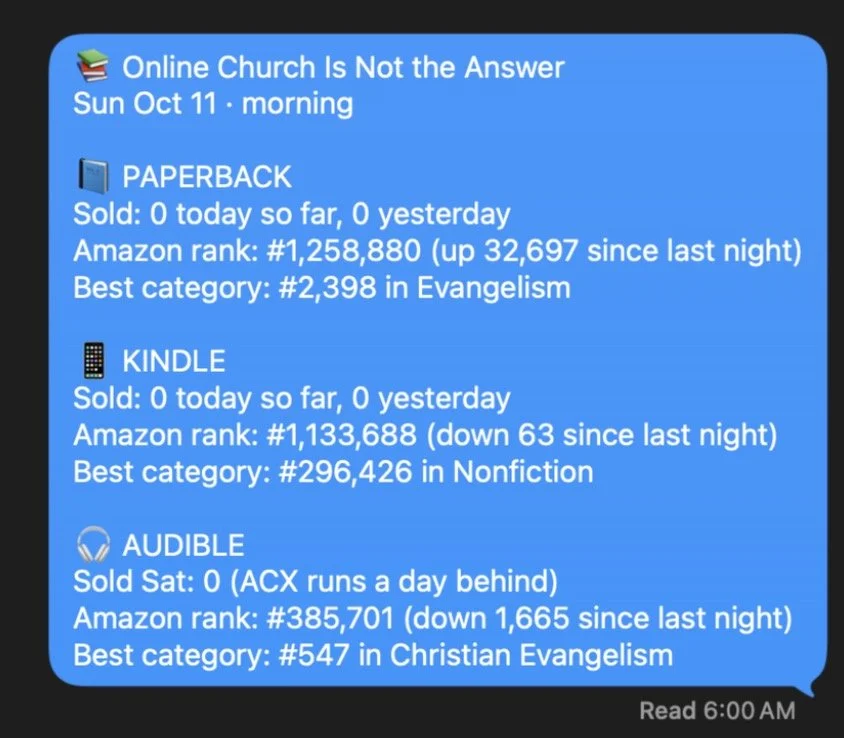
Book sales report text, 6am (Claude). One text with my book sales and Amazon rankings, sorted by paperback, Kindle, and audiobook. I wish I sold more books on this day :)
Kids' running teams snapshot, 6:53am (Muse). Watches my boys' TeamSnap teams for practice time changes, new meets, and cancellations. It stays silent unless something important changes.
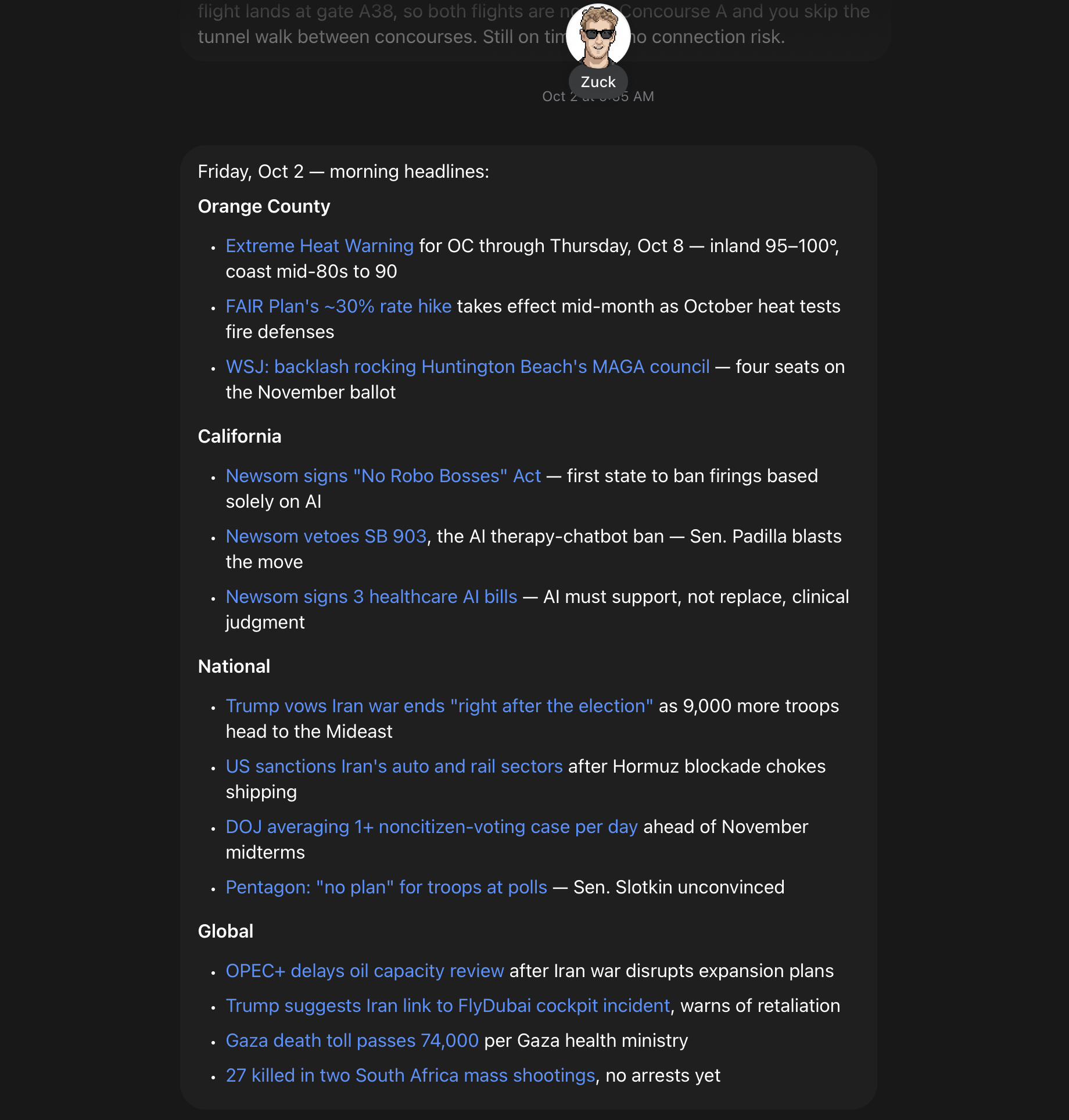
Weekday news headlines, 7:53am (Muse). Headlines only: Orange County, California, national, and global. No summaries, no filler. I love this simple message for staying in the loop on what's happening.
Kids’ school email recap, 8:53am (Muse). Opens every ParentSquare digest, reads the full thing, and pulls out only what matters for my three kids. If nothing is important to know, I hear nothing. This is super helpful this year because all three of my kids are at different schools.
Home network check (Claude built it). Keeps a private dashboard of what's happening on our home Wi-Fi, so I don't have to log into anything to see it. I also use it to monitor my kids' internet traffic.
That school email one alone is worth it.
What do my AI agents do for work?
This is where it gets fun for me as a church tech guy.
Monday sprint review, 10am (Claude). Reads my team's task board, compares it to our sprint plan and my quarterly priorities, and emails me a red, yellow, and green status report for each person. Our task board is how we track everything, so you can replace “task board” with any tracking tool you prefer.
Wednesday sprint recap, 8:30am (Claude). Only what changed since Monday. I asked for it to stay short, and it does. This keeps me in the loop when things move fast during the week.
The watchdog for my agents (Claude built it). If either sprint email doesn't go out, I get an email telling me what happened. This is important because you do need to set up agents to watch other agents. Claude really needs this because of device permission issues. Muse and GrokBot don’t struggle as much here.
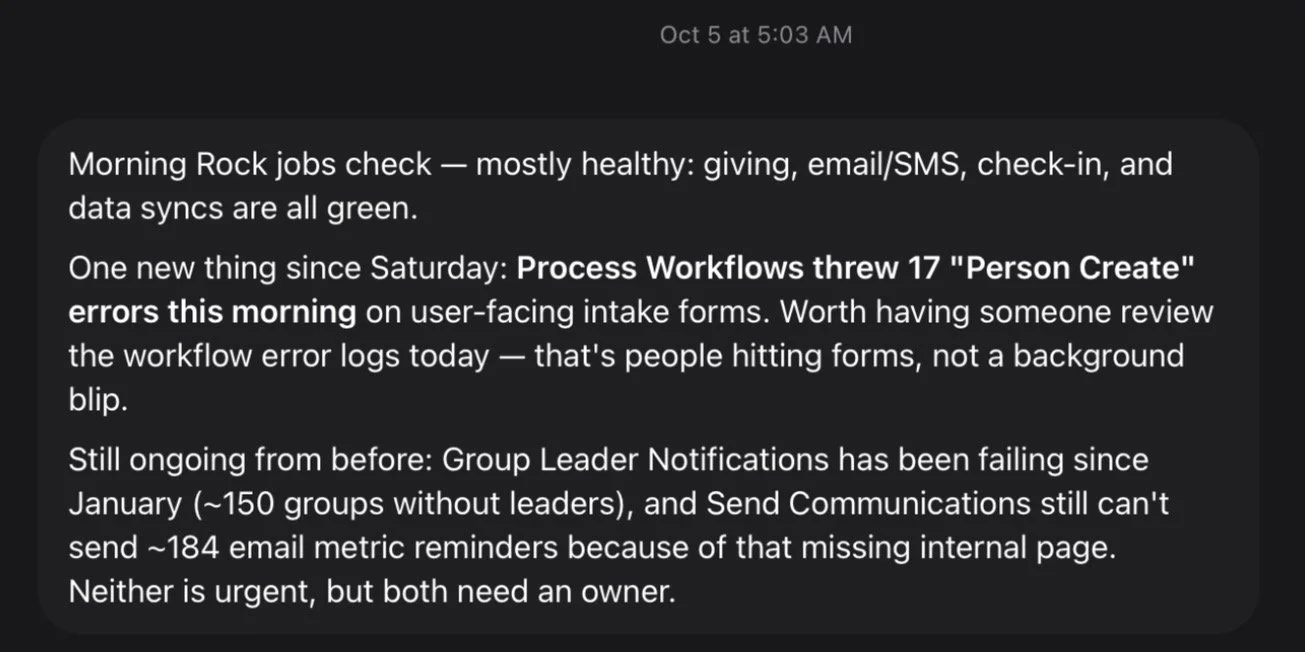
Rock RMS health check, Monday and Thursday 5am (Muse). Rock is our people management system at my church and a key way we care for people. It looks at all 124 scheduled jobs in our church database and tells me, in plain English, how they're doing. Helps me monitor errors.
Staff login watch, Monday 6am (Muse). Lists staff who haven't logged into Rock in 14+ days, by name and campus, so I can help them before they fall behind. This is super specific to my role at my church.
What do my AI agents do every week?
Blog ideas, Sunday mornings (Muse). It scans trends and church tech news, checks what I've already written, and gives me 3-5 ideas. Inspiration, never homework. I actually loved the title “Your Congregation Can Smell the AI” so much that I used it.
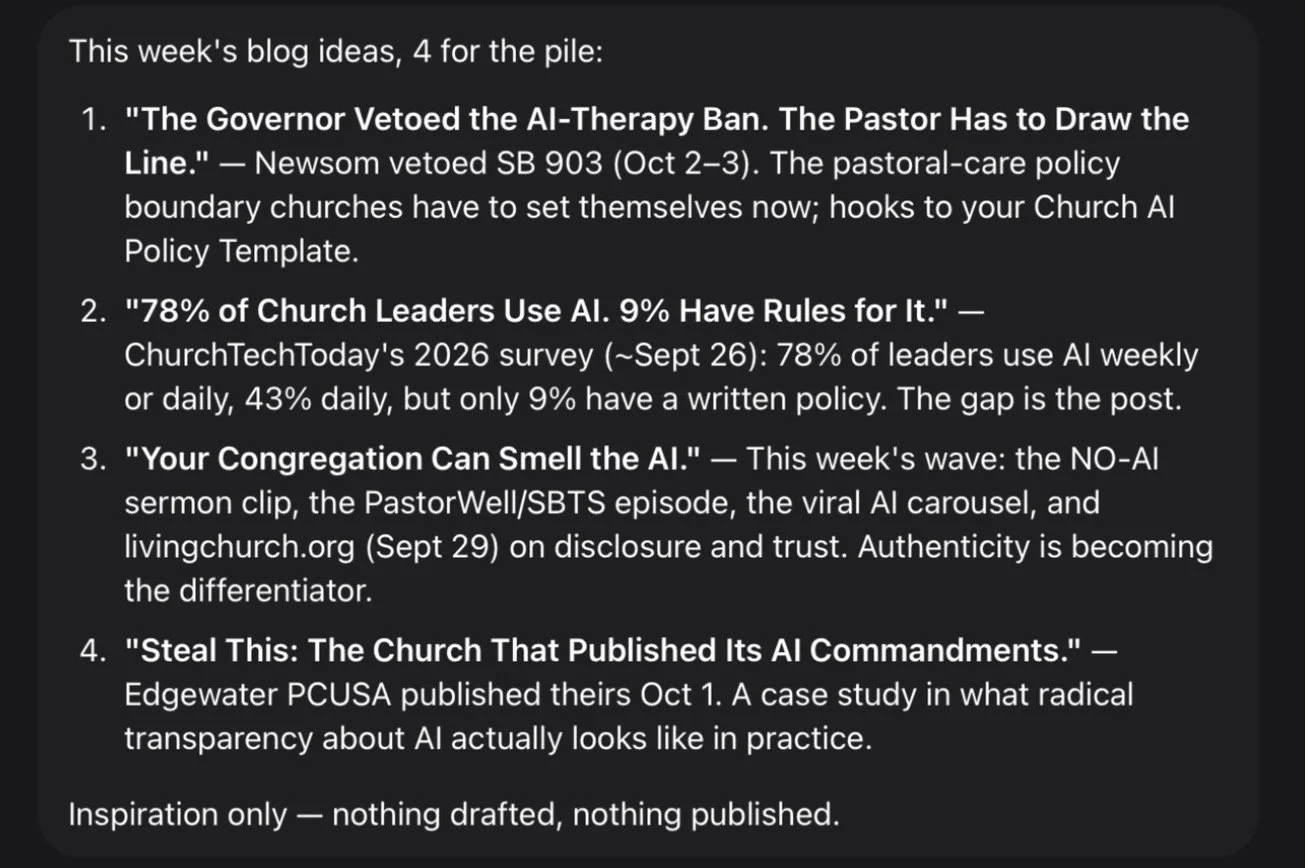
"Most read" refresh, Mondays 6am (Claude). Updates the popular posts list on this website based on the last 12 months of traffic. My homepage stays current without me touching it. This is a nerdy code routine, but I found it super helpful.
Neighborhood watch, Mondays (Muse). A quick Nextdoor summary: crime, wild posts, and the funny ones. Silent on quiet weeks.
What small nudges do my agents send me?
Remind me of what I read, every 4 days (Muse). I read this anxiety book a month ago and loved the author's ideas, so I asked my agent to send me reminders of key points over the next few months. You can do this with any book.
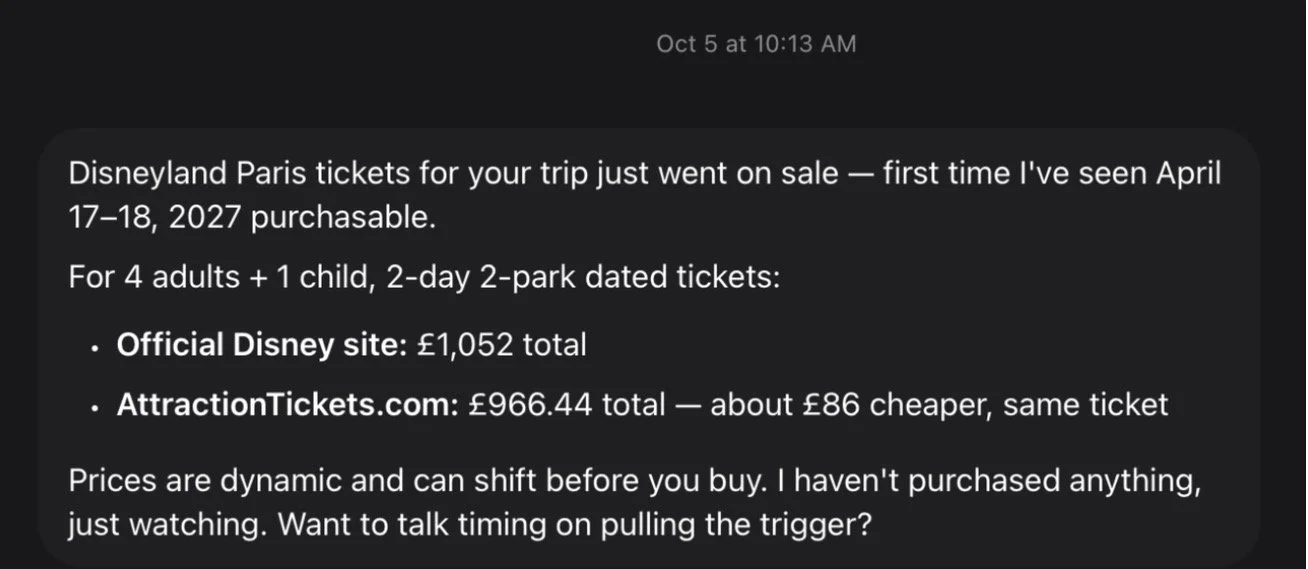
Disneyland Paris price watch, Mondays (Muse). I want to take my family to Disneyland Paris in the next few years, so I set this up to crawl the internet to track any deals. It tells me if prices for our trip move. Silent if they don't.
Waste Management claim check, weekly (Muse). Watches whether I qualify to file a claim. Speaks up only if that changes. Muse actually recommended this to me. It noticed that I had an unclaimed rebate from my trash company. Pretty cool, but I haven’t gotten the money just yet. Will see.
Delivery tracker (Muse). It follows a package when I tell it to and tells me when its status changes, but not every time it scans. Super helpful when an important package is arriving.
Blog to email (Claude, when I ask). Turns a blog post into a draft for my email newsletter. Turning a blog post into an email newsletter takes a ton of time, but now an agent helps me get the formatting right. I always review it before sending, but it does most of the work.
What one-time jobs have I handed to an agent?
Some of my favorite moments were one-time jobs I'd been putting off for years.
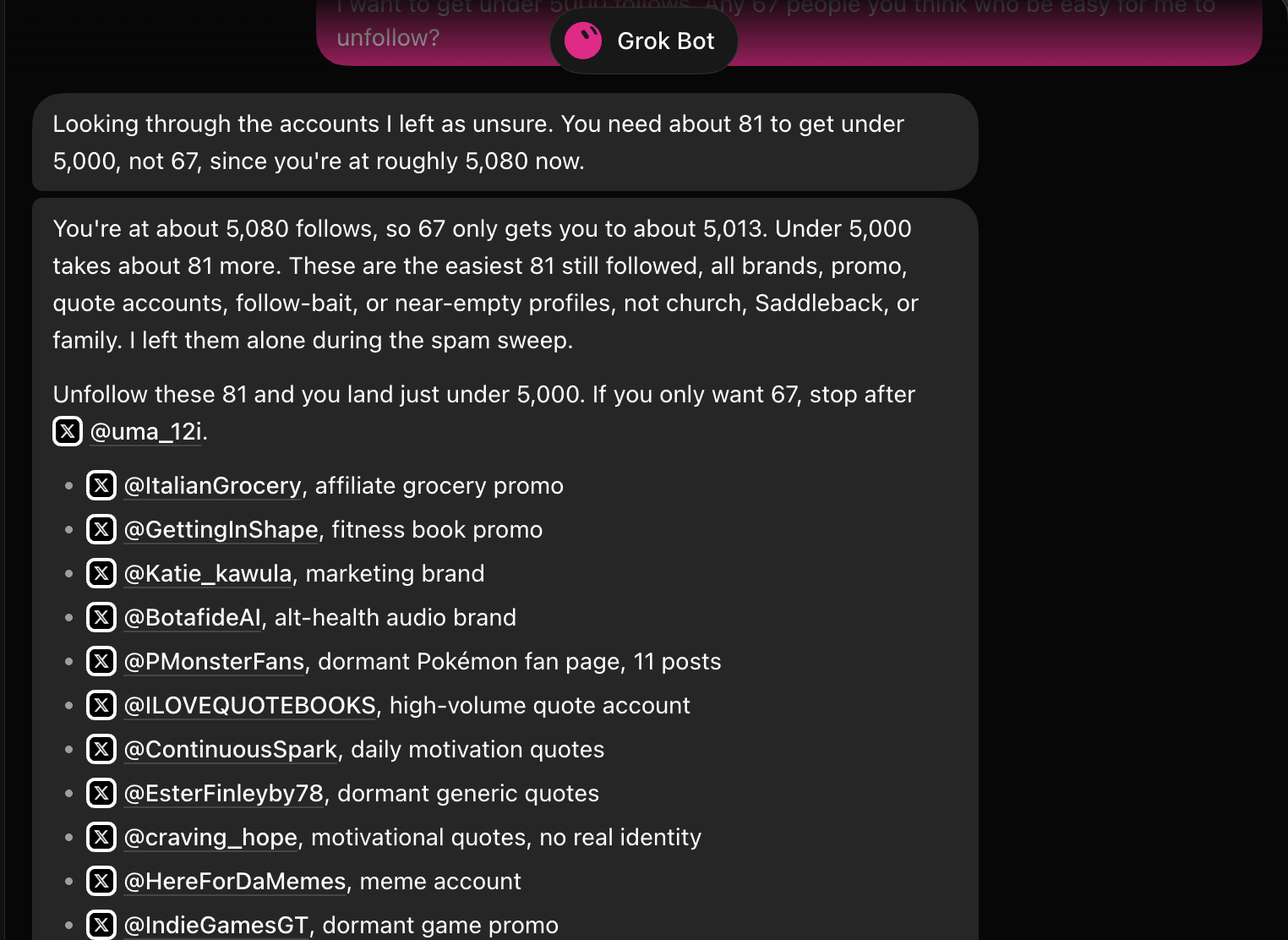
Cleaning up my X follows (GrokBot). I had followed over 5,000 accounts. GrokBot went through every single one and unfollowed the spam accounts. I would never have done that by hand. The agent took a few days to finish, by the way.
Reviewing my bills (GrokBot). It went through my electric, water, phone, and internet bills, looking for ways to lower them. The savings were small. But watching it work through each bill, line by line, was honestly fascinating.
Watching an agent do a big job is how you start to trust it with the recurring ones. Your mind starts to try to think of more projects to unleash it on.
Do AI agents still make mistakes?
Yes. And they make them with total confidence. An agent can sound just as sure when it's wrong as when it's right, so the mistakes that hurt are the ones you didn't double-check.
Here's mine. On October 1st, I landed in Nashville late at night, hungry and tired. I asked Muse for a restaurant near my hotel that was still open. It gave me one. I called an Uber, rode over, and walked up to the door. Closed.
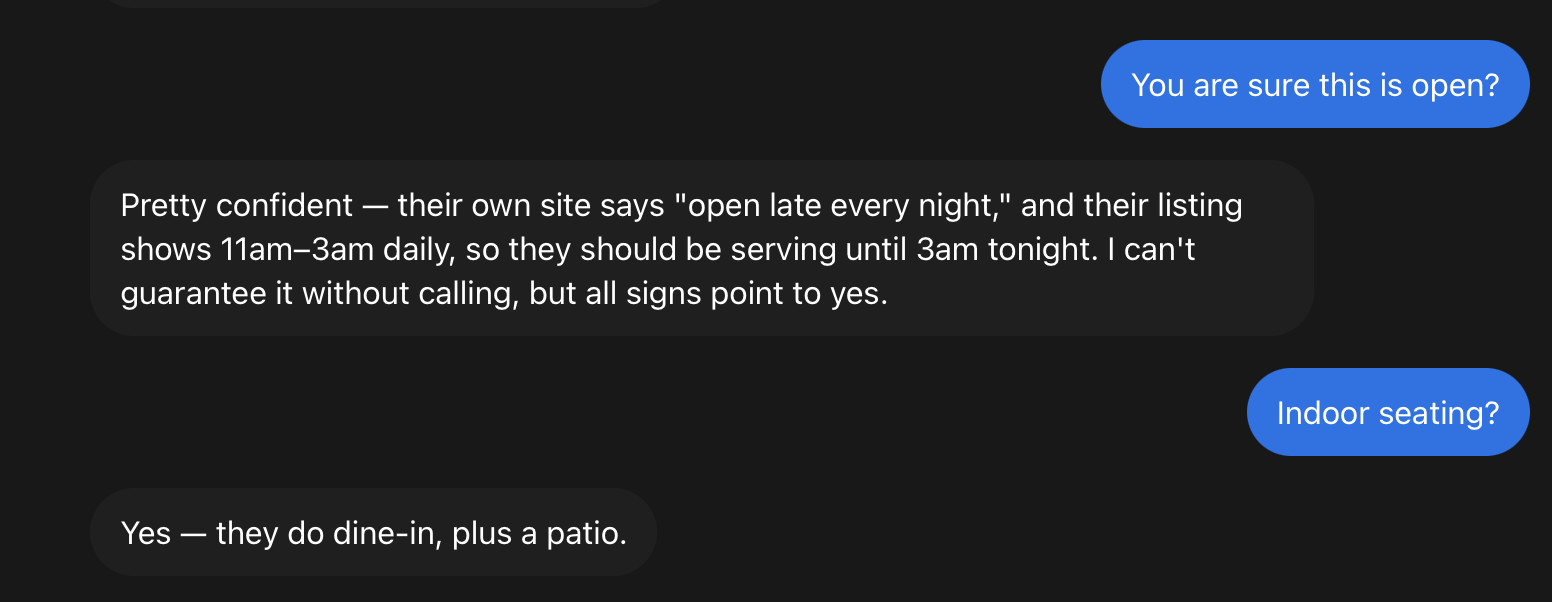
Muse had pulled the hours from an old listing instead of checking anything live. It didn't know the information was stale, and it didn't tell me it was guessing. I paid for the ride. I got the lesson.
The lesson isn't "don't trust AI." It's this: the more it costs you to be wrong, the more you should ask the agent where it got its answer. A wrong blog idea costs nothing. A wrong restaurant at 11pm in a new city costs a ride and your patience. Now, for anything time-sensitive, I ask it to check a live source and tell me how fresh the information is.
How much time does this actually save?
I haven't timed it, but I can tell you what I stopped doing. I don't check TeamSnap every morning. I don't read every school email. I don't log into three dashboards to see how my book is doing. I don't build a team status report by hand on Monday mornings. And I don't scroll the Nextdoor app. Each of those is five or ten minutes. Add them up across a week, and it's real time. Time I could spend with my family, my team, and the people I actually want to talk to.
How should you start with your first AI agent?
Start with one thing you already check every day. Then follow four simple rules:
Make it quiet by default. It should only talk when something changes or needs a decision.
Make it tell you when it fails. Silence should never be a mystery.
Keep a human on anything important that goes out. Drafts are great. Auto-send to other people is not recommended while you are learning to trust your agent.
Try a big one-time job. Watching an agent clear out a backlog is the fastest way to understand what it can do.
You don't need all three tools I use. Pick one, give it a real job, and let it earn its place. I would start with Muse.